
If so, you’re already familiar with web scraping.
But, while this can certainly be useful, there’s much more to web scraping than grabbing a few title tags—it can actually be used to extract any data from any web page in seconds.
The question is: what data would you need to extract and why?
In this post, I’ll aim to answer these questions by showing you 6 web scraping hacks:
- How to find content “evangelists” in website comments
- How to collect prospects’ data from “expert roundups”
- How to remove junk “guest post” prospects
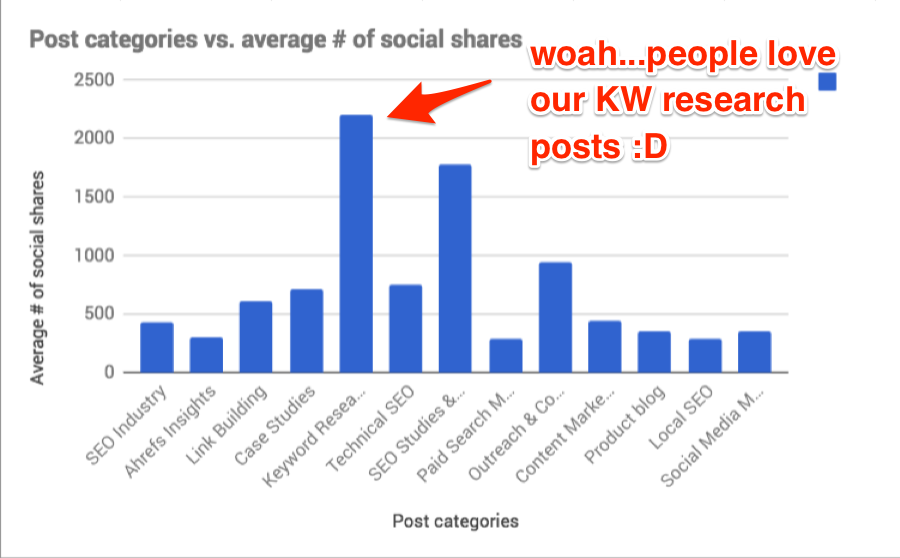
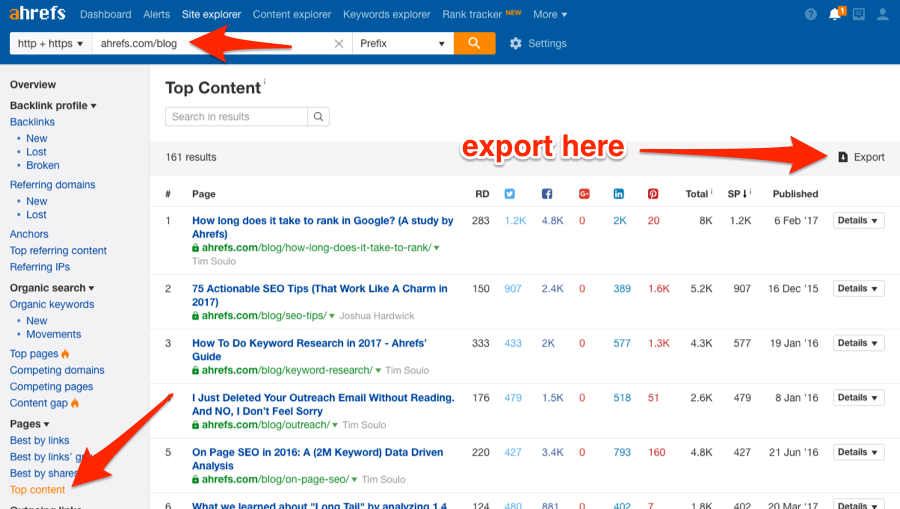
- How to analyze performance of your blog categories
- How to choose the right content for Reddit
- How to build relationships with those who love your content
I’ve also automated as much of the process as possible to make things less daunting for those new to web scraping.
But first, let’s talk a bit more about web scraping and how it works.
A basic introduction to web scraping
Let’s assume that you want to extract the titles from your competitors’ 50 most recent blog posts.
You could visit each website individually, check the HTML, locate the title tag, then copy/paste that data to wherever you needed it (e.g. a spreadsheet).
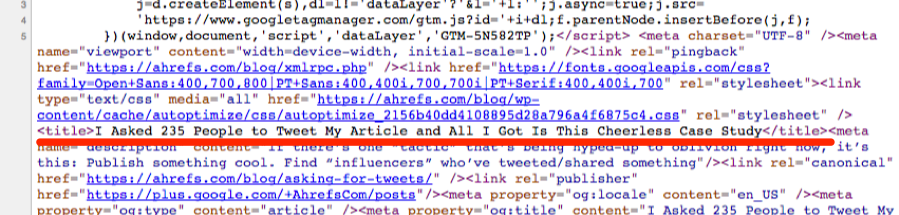
But, this would be very time-consuming and boring.
That’s why it’s much easier to scrape the data we want using a computer application (i.e. web scraper).
In general, there are two ways to “scrape” the data you’re looking for:
- Using a path-based system (e.g. XPath/CSS selectors);
- Using a search pattern (e.g. Regex)
XPath/CSS (i.e. path-based system) is the best way to scrape most types of data.
For example, let’s assume that we wanted to scrape the h1 tag from this document:
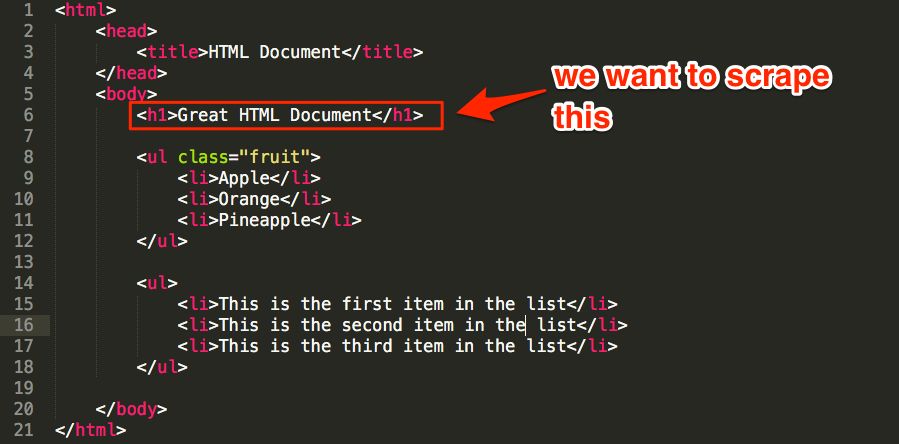
We can see that the h1 is nested in the body tag, which is nested under the html tag—here’s how to write this as XPath/CSS:
- XPath: /html/body/h1
- CSS selector: html > body > h1
But what if we wanted to scrape the list of fruit instead?
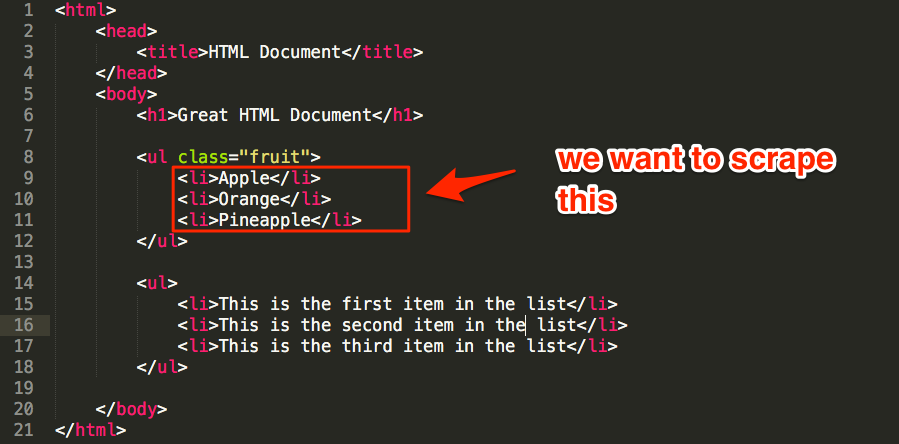
You might guess something like: //ul/li (XPath), or ul > li (CSS), right?
Sure, this would work. But because there are actually two unordered lists (ul) in the document, this would scrape both the list of fruit AND all list items in the second list.
However, we can reference the class of the ul to grab only what we want:
- XPath: //ul[@class=’fruit’]/li
- CSS selector: ul.fruit > li
Regex, on the other hand, uses search patterns (rather than paths) to find every matching instance within a document.
This is useful whenever path-based searches won’t cut the mustard.
For example, let’s assume that we wanted to scrape the words “first’, “second,” and “third” from the other unordered list in our document.
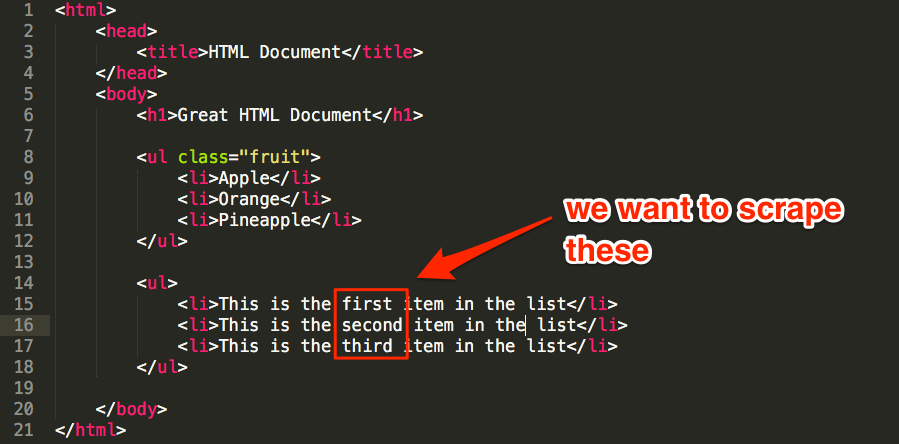
There’s no way to grab just these words using path-based queries, but we could use this regex pattern to match what we need:
<li>This is the (.*) item in the list<\/li>
This would search the document for list items (li) containing “This is the [ANY WORD] item in the list” AND extract only [ANY WORD] from that phrase.
Here are a few useful XPath/CSS/Regex resources:
- Regexr.com — Learn, build and test Regex;
- W3Schools XPath tutorial;
And scraping tools:
OK, let’s get started with a few web scraping hacks!
1. Find “evangelists” who may be interested in reading your new content by scraping existing website comments
Most people who comment on WordPress blogs will do so using their name and website.
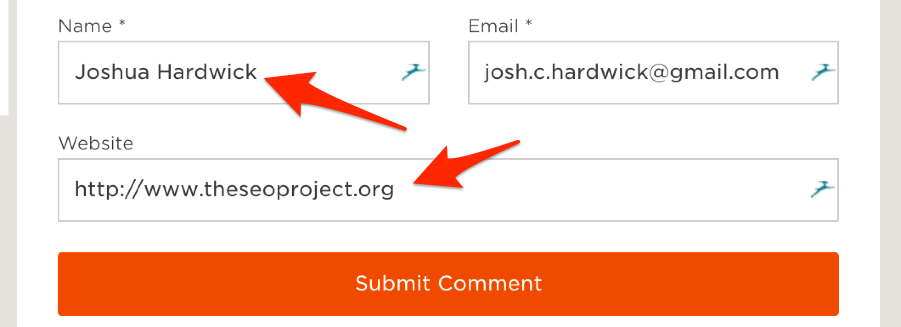
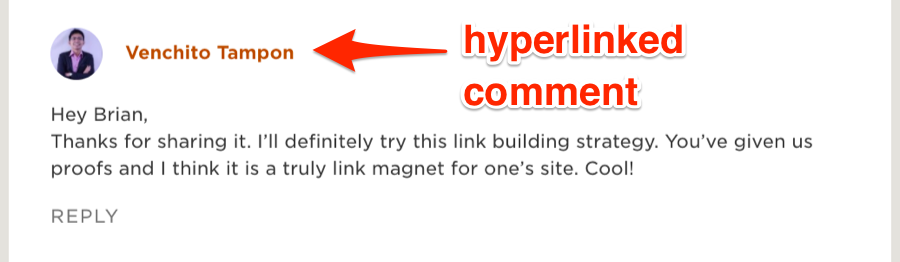
You can spot these in any comments section as they’re the hyperlinked comments.
But what use is this?
Well, let’s assume that you’ve just published a post about X and you’re looking for people who would be interested in reading it.
Here’s a simple way to find them (that involves a bit of scraping):
- Find a similar post on your website (e.g. if your new post is about link building, find a previous post you wrote about SEO/link building—just make sure it has a decent amount of comments.);
- Scrape the names + websites of all commenters;
- Reach out and tell them about your new content.
Here’s how to scrape them:
Go to the comments section then right-click any top-level comment and select “Scrape similar…” (note: you will need to install the Scraper Chrome Extension for this).
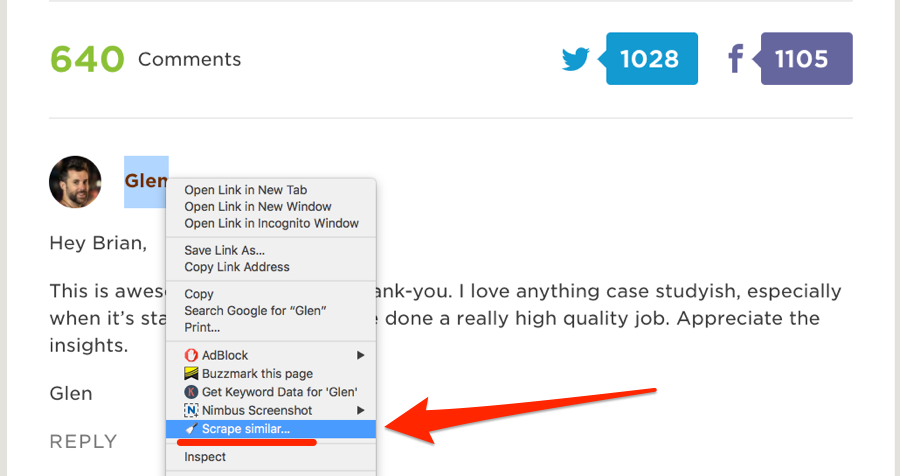
This should bring up a neat scraped list of commenters names + websites.
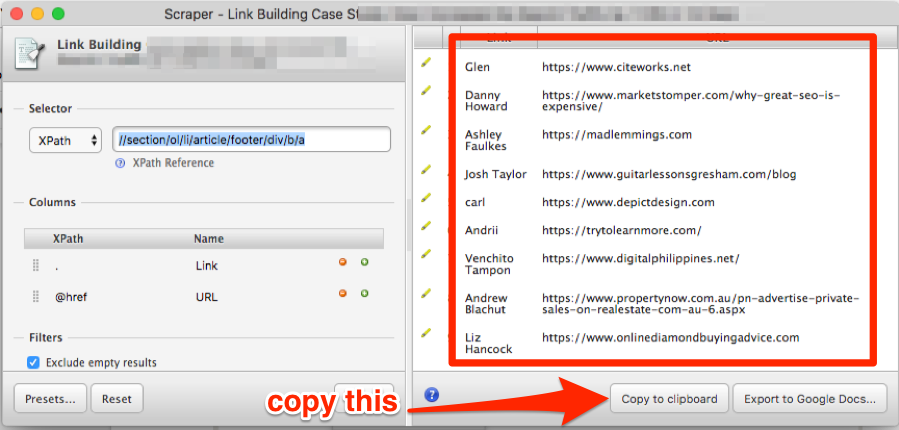
Make a copy of this Google Sheet, then hit “Copy to clipboard,” and paste them into the tab labeled “1. START HERE”.
Go to the tab labeled “2. NAMES + WEBSITES” and use the Google Sheets hunter.io add-on to find the email addresses for your prospects.
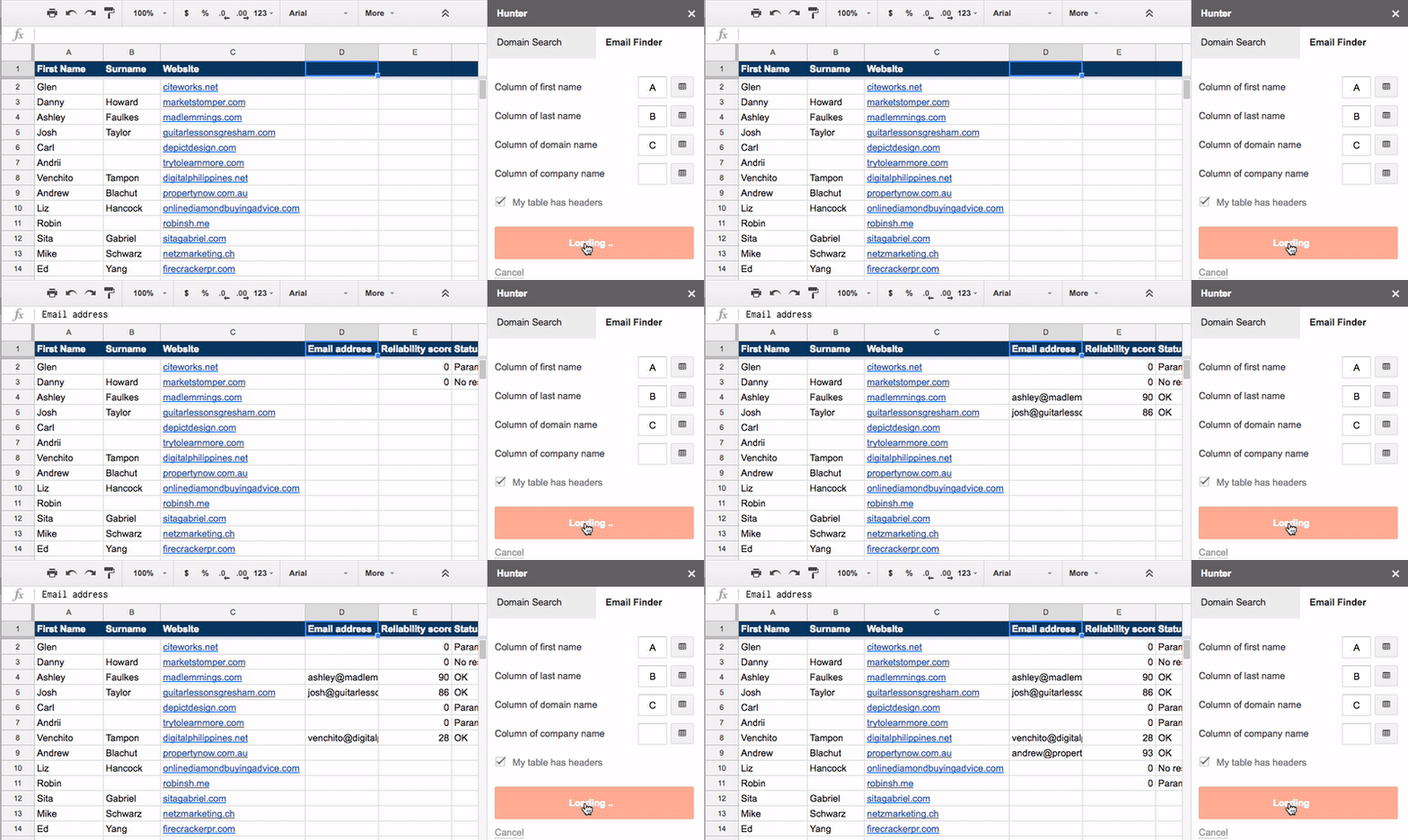
You can then reach out to these people and tell them about your new/updated post.
IMPORTANT: We advise being very careful with this strategy. Remember, these people may have left a comment, but they didn’t opt into your email list. That could have been for a number of reasons, but chances are they were only really interested in this post. We, therefore, recommend using this strategy only to tell commenters about the updates to the post and/or other new posts that are similar. In other words, don’t email people about stuff they’re unlikely to care about!
Here’s the spreadsheet with sample data.
2. Find people willing to contribute to your posts by scraping existing “expert roundups”
“Expert” roundups are WAY overdone.
But, this doesn’t mean that including advice/insights/quotes from knowledgeable industry figures within your content is a bad idea; it can add a lot of value.
In fact, we did exactly this in our recent guide to learning SEO.
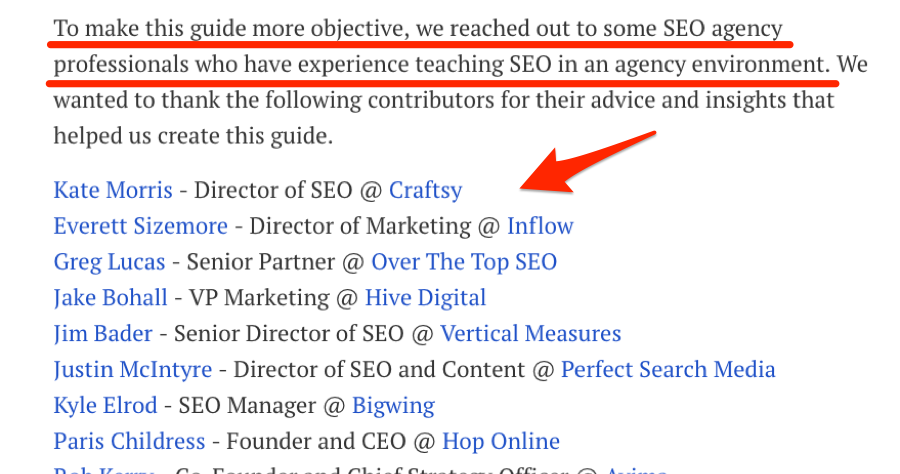
But, while it’s easy to find “experts” you may want to reach out to, it’s important to remember that not everyone responds positively to such requests. Some people are too busy, while others simply despise all forms of “cold” outreach.
So, rather than guessing who might be interested in providing a quote/opinion/etc for your upcoming post, let’s instead reach out to those with a track record of responding positively to such requests by:
- Finding existing “expert roundups” (or any post containing “expert” advice/opinions/etc) in your industry;
- Scraping the names + websites of all contributors;
- Building a list of people who are most likely to respond to your request.
Let’s give it a shot with this expert roundup post from Nikolay Stoyanov.
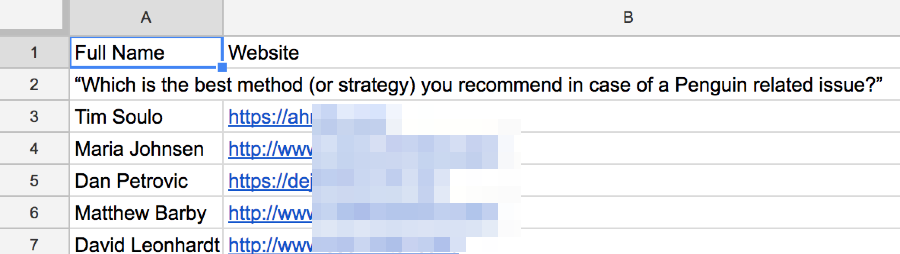
First, we need to understand the structure/format of the data we want to scrape. In this instance, it appears to be full name followed by a hyperlinked website.

HTML-wise, this is all wrapped in a <strong> tag.
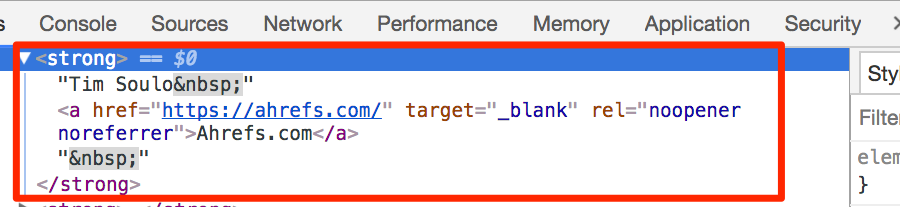
Because we want both the names (i.e. text) and website (i.e. link) from within this <strong> tag, we’re going to use the Scraper extension to scrape for the “text()” and “a/@href” using XPath, like this:
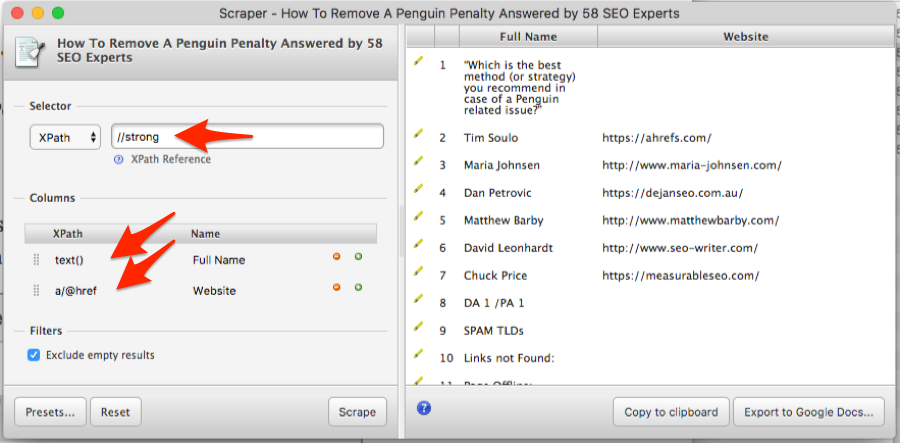
Don’t worry if your data is a little messy (as it is above); this will get cleaned up automatically in a second.
Next, make a copy of this Google Sheet, hit “Copy to clipboard,” then paste the raw data into the first tab (i.e. “1. START HERE”).
Repeat this process for as many roundup posts as you like.
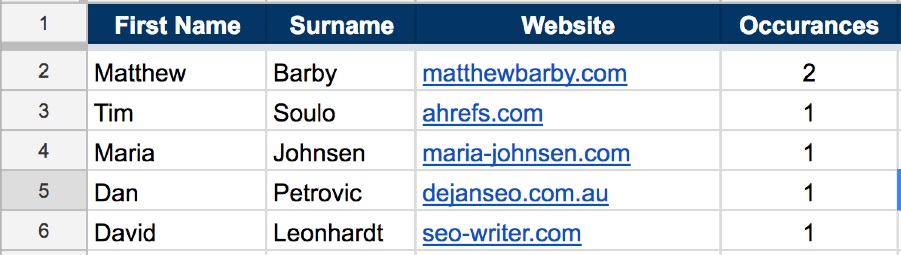
Finally, navigate to the second tab in the Google Sheet (i.e. “2. NAMES + DOMAINS”) and you’ll see a neat list of all contributors ordered by # of occurrences.
Here are 9 ways to find the email addresses for everyone on your list.
IMPORTANT: Always research any prospects before reaching out with questions/requests. And DON’T spam them!
Here’s the spreadsheet with sample data.
3. Remove junk “guest post” prospects by scraping RSS feeds
Blogs that haven’t published anything for a while are unlikely to respond to guest post pitches.
Why? Because the blogger has probably lost interest in their blog.
That’s why I always check the publish dates on their few most recent posts before pitching them.
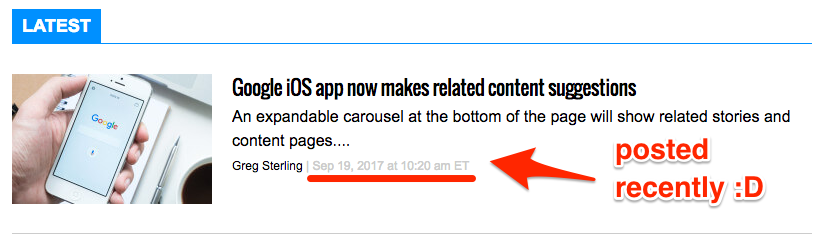
(If they haven’t posted for more than a few weeks, I don’t bother contacting them)
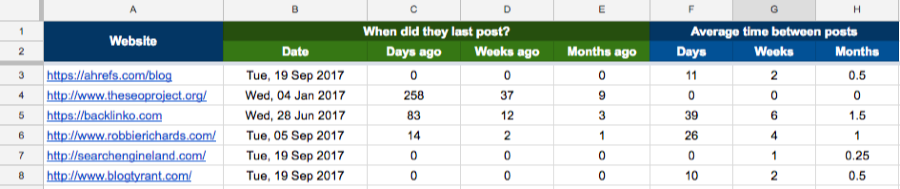
However, with a bit of scraping knowhow, this process can be automated. Here’s how:
- Find the RSS feed for the blog;
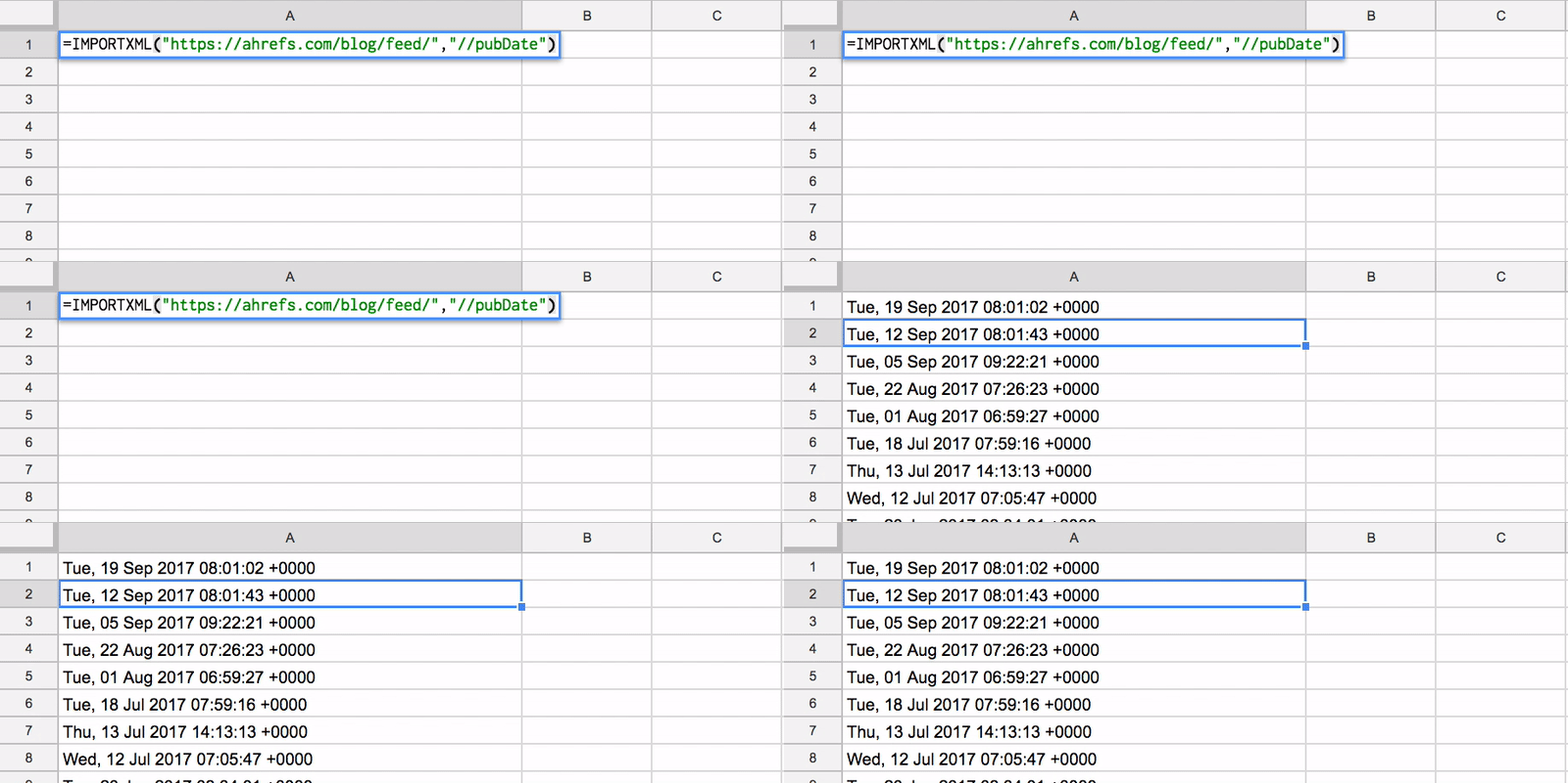
- Scrape the “pubDate” from the feed
Most blogs RSS feeds can be found at domain.com/feed/—this makes finding the RSS feed for a list of blogs as simple as adding “/feed/” to the URL.
For example, the RSS feed for the Ahrefs blog can be found at https://liftbodyfocus.vip/blog/feed/%3C/a%3E%3C/u%3E%3C/p%3E%3Cdiv class="sidenote">
This won’t work for every blog. Some bloggers use other services such as FeedBurner to create RSS feeds. It will, however, work for most.